Key word : Outlook can't search / Outlook Search Not Work / Outlook search only work in Safe Mode
https://support.office.com/en-us/article/Outlook-known-issues-in-the-June-2017-security-updates-3f6dbffd-8505-492d-b19f-b3b89369ed9b?ui=en-US&rs=en-US&ad=US&fromAR=1
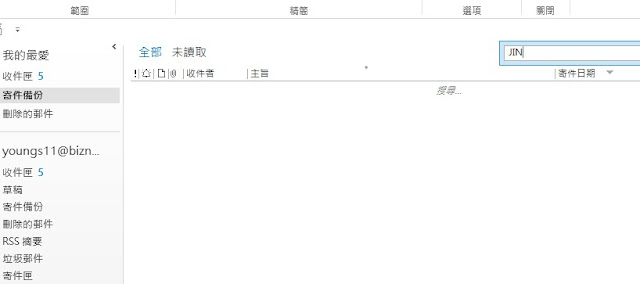
Suddenly your Microsoft Outlook can't search any e-mail or not match, this may be index problem, if search is working on Outlook Safe Mode, that mean the Search Index got problem, because Safe Mode will not using Windows Search function.
Solution :
1. Claim down first, try search on internet, make sure this problem not affect by any Windows Update. Microsoft always release windows update and it will kill something, if you can't find on internet try uninstall some recently windows update.
2. Try Rebuild Index
3. Disable Outlook Search Index (that mean not using Windows Search Services for Outlook search)
4. Disable Windows Search Services
Remark : Disable search index is temporary solution, does not solve the problem, but actually sometime we are no solution for this because Microsoft are suck!
How to access Outlook Safe Mode
- Hold the Keyboard "CTRL" button then open the Outlook.
Try Rebuild Index
1. Click Search
2. Indexing Options
3. Advanced "User require administrator right"
4. Click Rebuild
Remark : Typically you may need wait a whole day to finish the rebuild index, on step 2 indexing options have indexed status.
Below Action better is don't do that, final it will work, but for long terms you need enable it again, if your outlook have lot of e-mail, after disable the index and you need to enable again you will need to wait a long long long time for index rebuild
Disable Outlook Search Index
Click "File" > "Options"
Click "Search" then "Indexing Options"
Click Modify
Unclick "Microsoft Outlook" > "OK"
Disable Windows Search Services
- Not recommended, because any search
index on windows will disabled
 Below Action will affect all Search function, include Windows Explorer search file
How to disable Windows Search services
Below Action will affect all Search function, include Windows Explorer search file
How to disable Windows Search services
1. Press "WIN" + "R" key, pop-up "Run" windows.
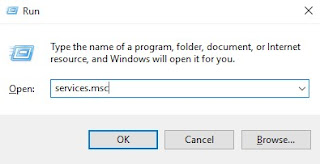
2. Type "services.msc" and enter
3. Locate "Windows Search", right click mouse and select properties
4. Startup Type change to "Disabled" and click "Stop"
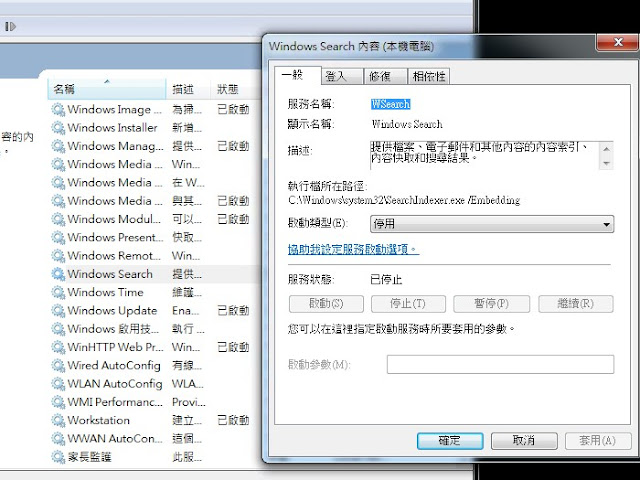
5. Try close outlook and start again, the search function will work now!
How to Start Outlook with Safe Mode
Just hold the "CTRL" key to open the Outlook, it will pop-up windows ask you run Safe Mode or not


