顯示具有 Excel 標籤的文章。 顯示所有文章

2017年12月7日 星期四

Excel Open without file? Open Excel file problem

If you double click the excel file and got the below screen, just open the excel without any file.

Try click File > Options > Advanced > General > unclick "Ignore other applications that use DDE


2016年5月30日 星期一

Excel File missing Sheet Tab or Scroll Bar

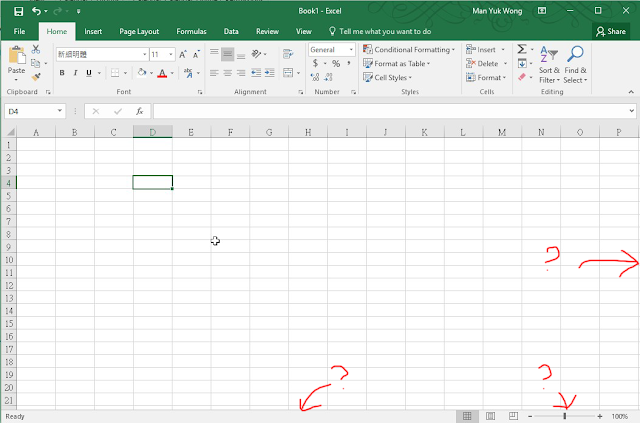
Sometime you may found your excel missing a sheet tab or scroll bar


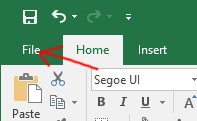
Click "File"


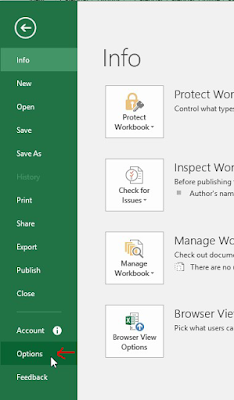
Click "Options"


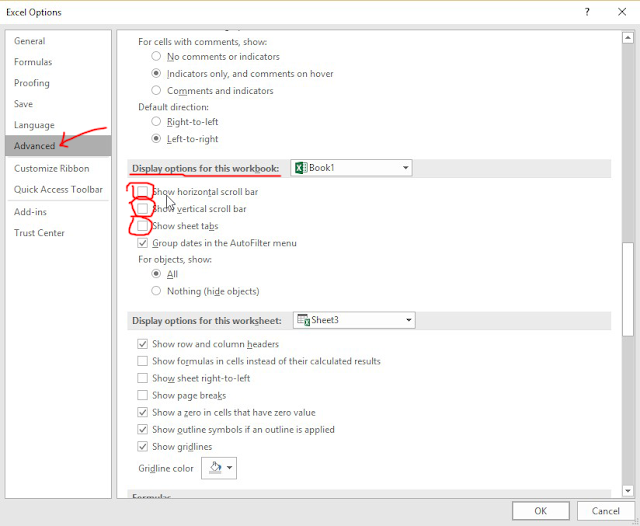
Click "Advanced" and looking "Display options for this workbook"
Click and check the "Show horizontal scroll bar"
Click and check the "Show vertical scroll bar"
Click and check the "Show sheet tabs"


2013年5月7日 星期二

Office 2007/2010 Insert Picture from Scanner

舊版本的Office 2003在工具列上有匯入掃瞄器圖片的功能在 Office 2007/2010這個功能已被移除, 在Office 2007/2010上可以按以下步驟使用hotkey來解決這個問題, 如需要像Office 2003有一圖示按鈕則無法做到, 坊間有些朋友寫了Marco可增加這個按鈕, 但過程有點複雜, 這裏用最簡單方法用Hotkey解決吧了!


在Office 按 File > Options


選擇Cutomize Ribbon > 圖中較底部的 Keyboard shortcuts 按 "Customize"


Categories 選擇 All Commands
Commands 選擇 InsertImageScan
Press new shortcut key, Mouse點一下, 在這裏按 "Ctrl + I" , 再click "Assign"
   (可用其他熱鍵但不可與現有熱鍵重複, e.g. CTRL + S)

2013年4月3日 星期三

Open Network File Slowly / No Responding / Hang ( Excel )


Problem Product : Office 2003 / Excel 2003

When you access the excel file on server/network drive, it may slow, not responding or hang, it only happen on server/network drive because you apply update of Excel 2003 Office File Validation (OFV), You can try to copy the file to your local computer / desktop for ensure is network problem.

Source from Microsoft :
http://support.microsoft.com/kb/833041

Solution:
You can download Microsoft Fix it 50637, it will disable OFV on Excel 2003
http://go.microsoft.com/?linkid=9767060